I Rebuilt My Portfolio With Next.js 16, Then Built a Playground to Switch Between Its Themes
From Chakra UI to Tailwind CSS, three themes, and a multiplayer canvas where you plug a theme into a display
My portfolio, mahmad.me, was built in 2021 with Next.js and Chakra UI. The design felt old and the packages were outdated, but the rebuild kept moving to "next weekend." I finally did it, and it ended up with three versions of the site and a small playground for switching between them.
The rebuild
The site moved from Chakra UI to Tailwind CSS, on Next.js 16 and React 19. Chakra served me well for years, but I wanted more control over the styling and a lighter setup.
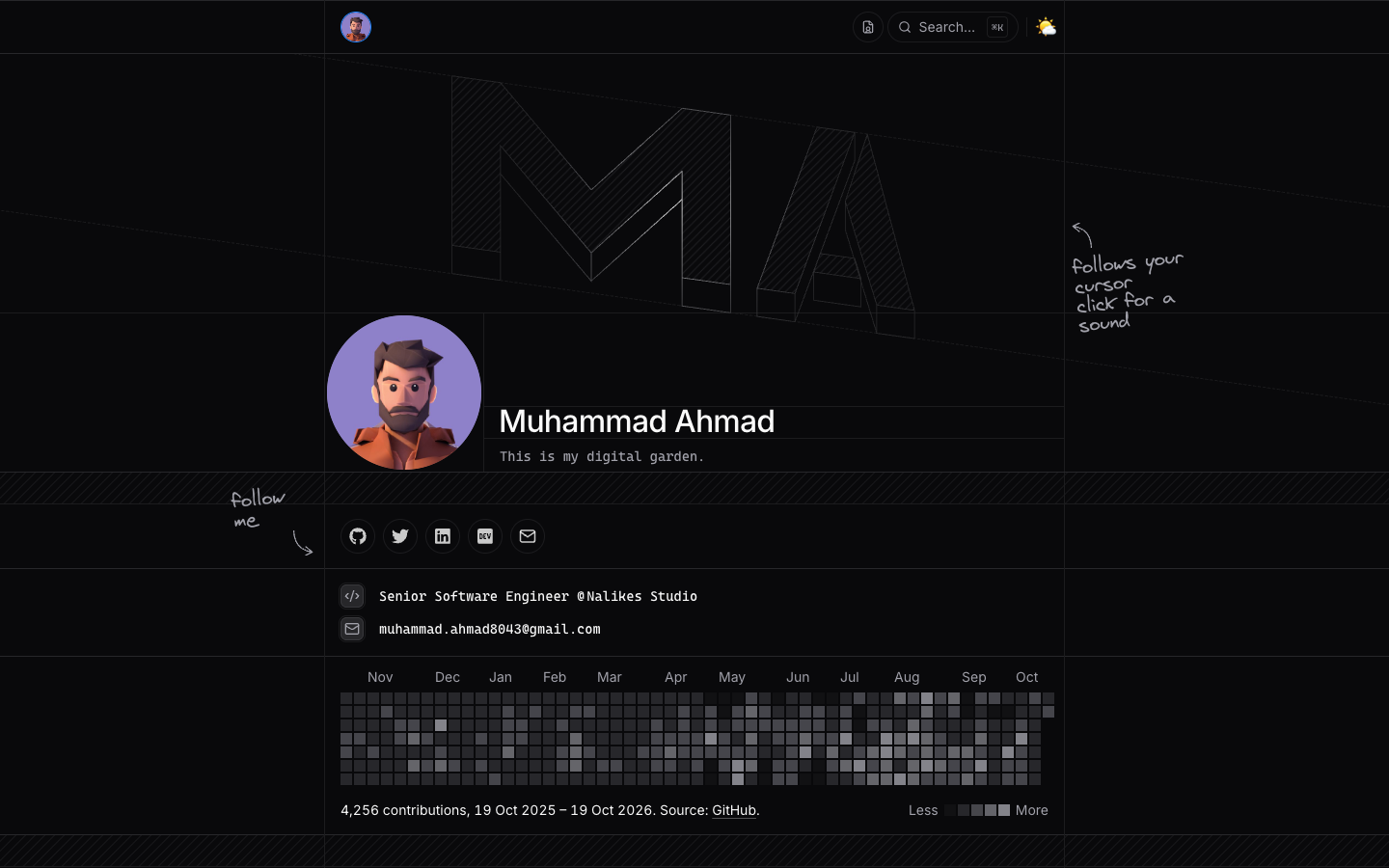
The homepage is now one page: an isometric "MA" mark, a pixel avatar that assembles itself on load (hover to break it apart), my GitHub contribution graph, my stack, experience and projects. It has light and dark mode, and a command menu (⌘K or /).
Two more themes
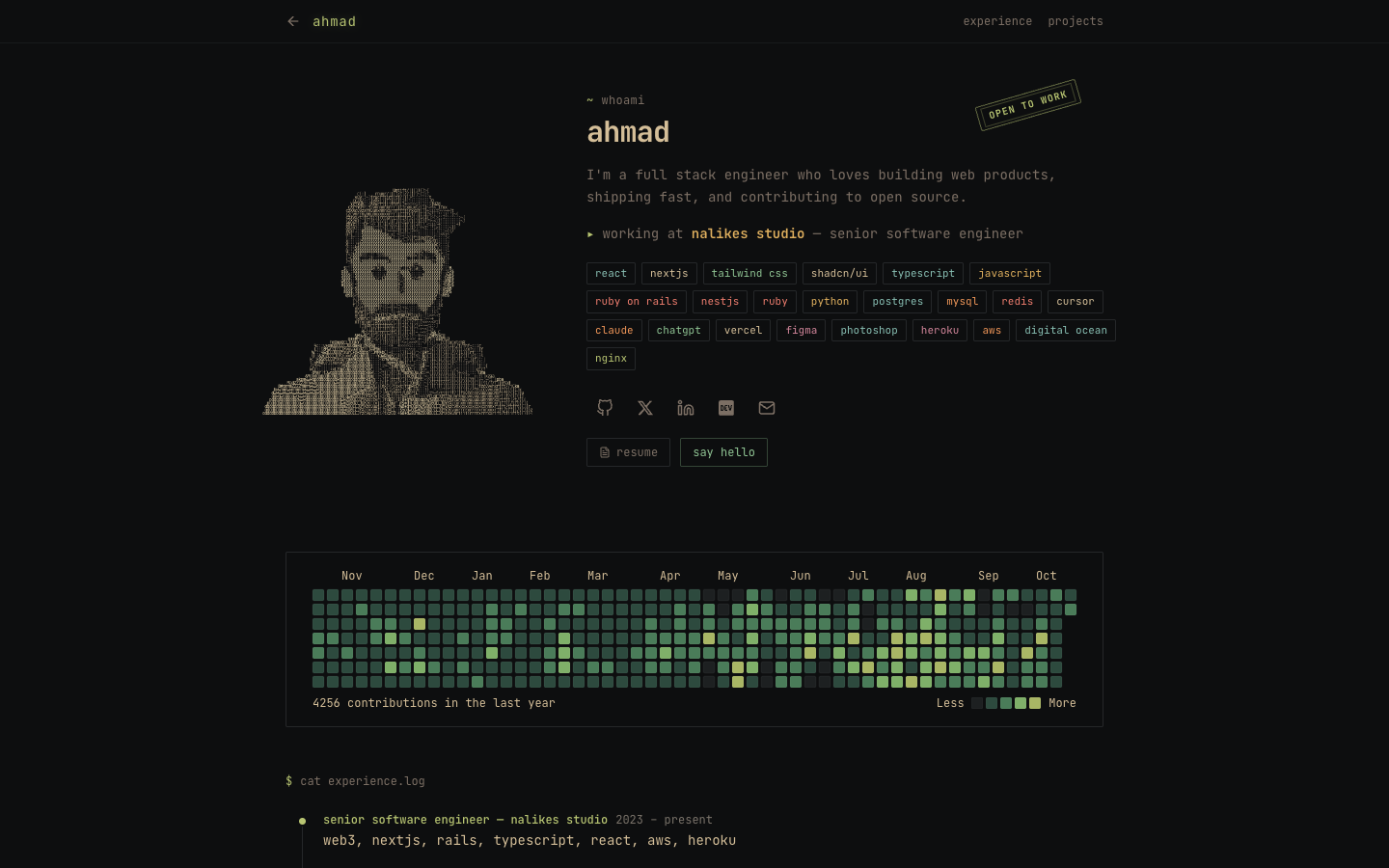
The terminal theme is a completely different version of the portfolio: a monospace font, whoami, cat experience.log, and an ASCII art portrait. The notebook theme draws its skyline and backdrop with three.js.
Switching themes plays a pixel transition: the page breaks into squares that ripple away from where you clicked, revealing the other theme underneath. It's built on the browser's View Transitions API, so it stays smooth.
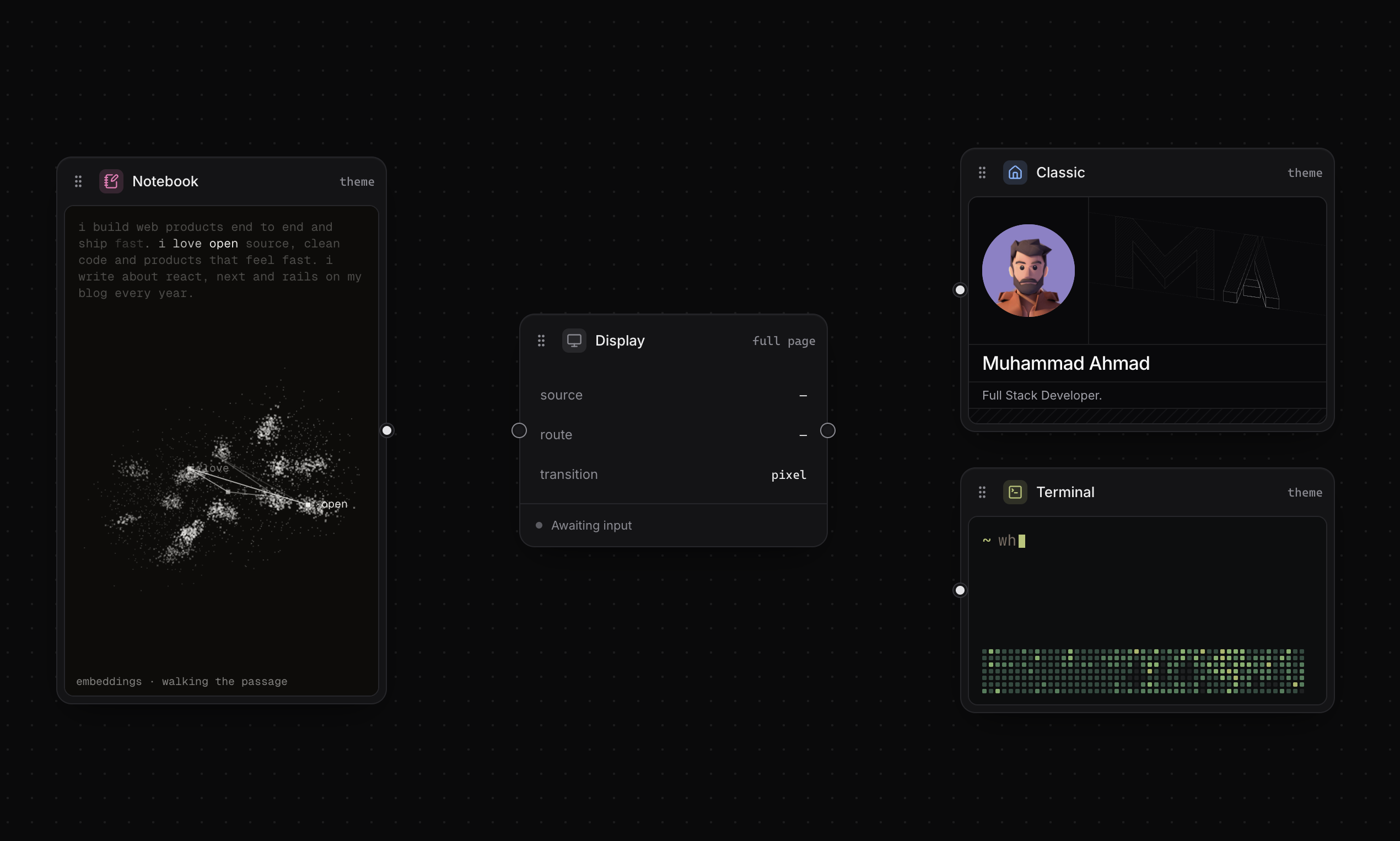
Each theme is its own folder with its own layout and content adapter. One dynamic route serves them all, so adding a theme means one folder and one line in a registry.
Theme Studio: plug a theme into a display
To switch between three sites, I built a playground: mahmad.me/theme-studio.
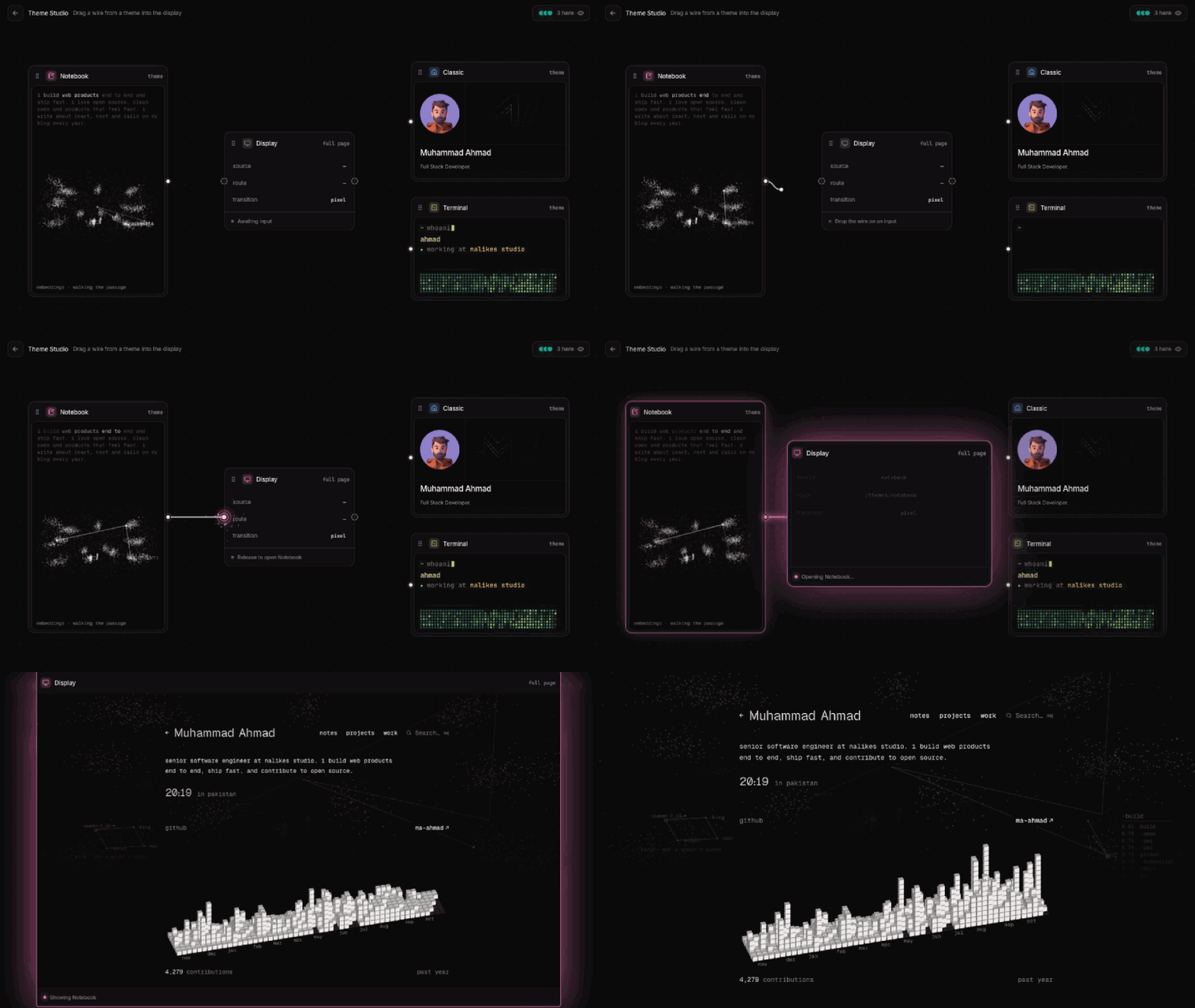
The themes are cards on a canvas with a display in the middle. Drag a wire from a card into the display, like plugging a cable into an old TV. Sparks jump as you get close, skill icons ride down the wire, and the screen flickers on before the page opens.
You're not alone on the canvas
Theme Studio is multiplayer: you see other visitors' cursors and the wires they're dragging, live. A Cloudflare Durable Object relays the positions between browsers. Because it's a public endpoint, the worker limits connections and messages per IP and sets an hourly budget, which keeps it on Cloudflare's free plan.
Getting there from anywhere
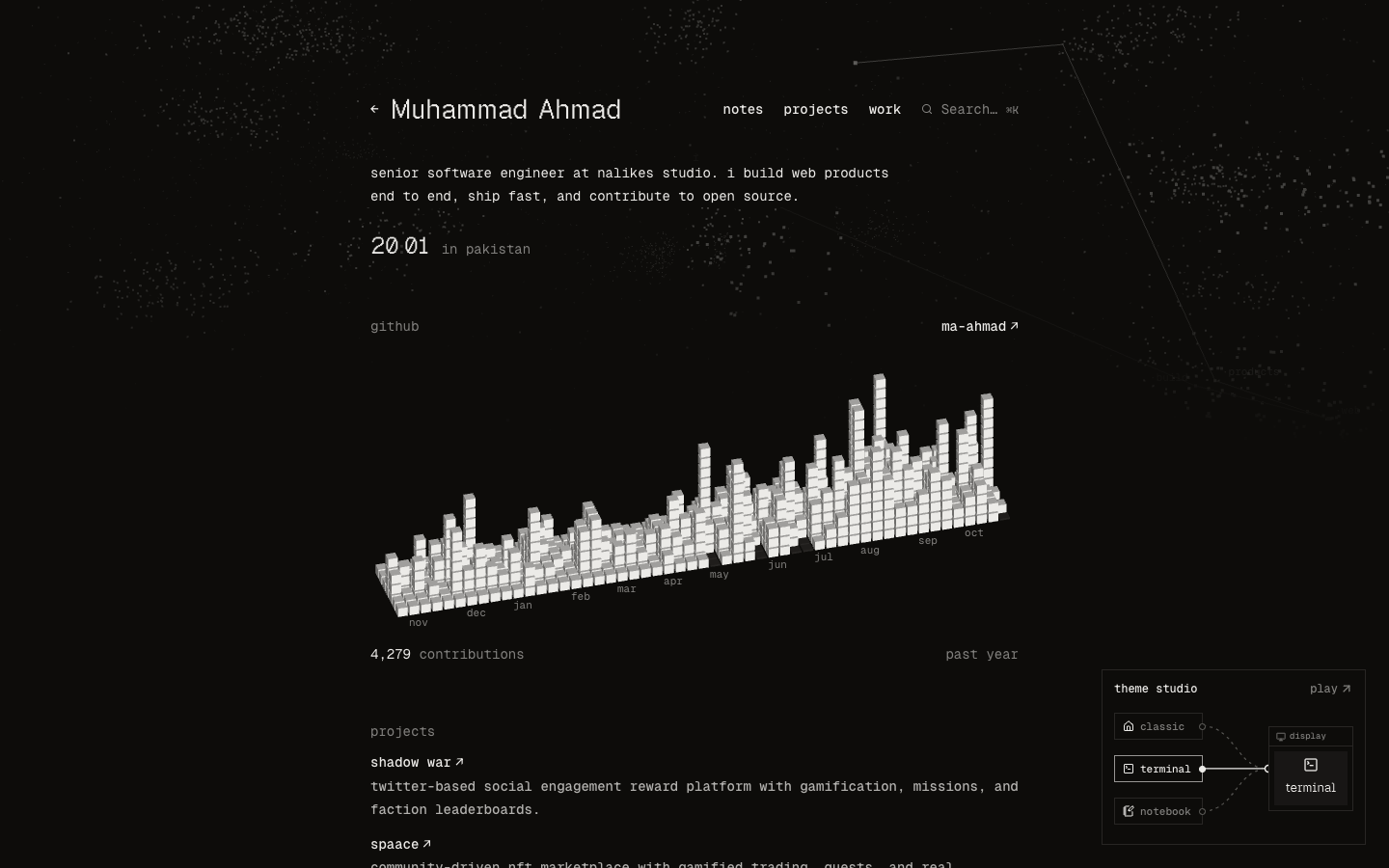
On desktop, a small live copy of the playground sits in the corner of every theme. It plugs in one theme after another, and one click opens the real thing.
Source code
The whole portfolio is open source: github.com/MA-Ahmad/myPortfolio. If you like it, a ⭐ really helps.
What should I plug into the display next? Tell me in the comments 👇
About the author
I am a Full-stack developer.
Comments
Join the discussionKeeping each theme in its own folder with its own layout is the cleanest part here. It means a new theme can be added without touching the others, and the single dynamic route keeps the routing simple.
Thanks Rishabh! That was the main goal: adding the notebook theme meant one new folder and one line in the registry, without touching the other themes